




AI tools
AI tools and MCPs
How to connect assistants like Claude and Cursor to real design inputs: references, assets and your team’s files.
I’m Pierluigi, a Lead Product Designer. On YouTube I break down the AI tools, MCPs and workflows that are changing product design, with practical, real-world examples instead of generic theory.
What an MCP is, and five that connect AI to real design inputs: Mobbin, UI8, Figma, Paper and Subframe. Plus which one to reach for, and when.
A setup cheatsheet for Claude and Cursor, plus a copy-paste prompt pack you can run on one real screen. The companion to the video.
Get the free stack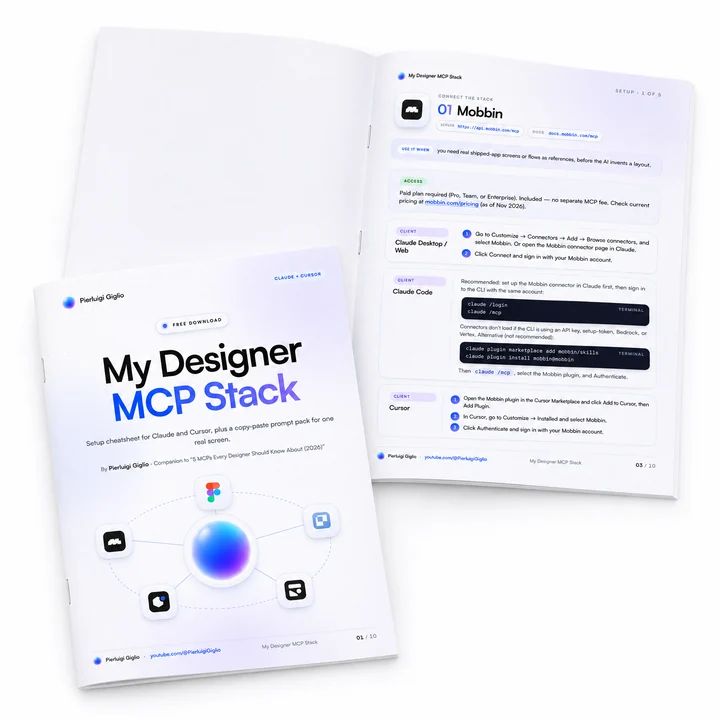
Practical breakdowns for designers who want to use AI well, not just use it more.
How to connect assistants like Claude and Cursor to real design inputs: references, assets and your team’s files.
Menus, pricing, components and flows, reviewed like a lead designer would.
The product thinking, systems and judgment that keep a designer valuable when AI does more of the pixels.
Positioning, portfolio and clients for product designers who want the next step.
Setup cheatsheet and prompt pack for five design MCPs.
Bring the problem and we work through it together: portfolio, positioning, clients, pricing or career.
Tutorials and breakdowns on AI for product designers.

 Lead Product Designer
I’m a Senior and Lead Product Designer, and I’ve been making videos about design on YouTube since 2017. Today the channel is about one thing: how product designers can use AI well, without losing the craft.
The edge isn’t the tools. It’s the mental models, the workflows, and knowing when to override AI with product thinking.